
Sanchaya Kosh provides loan to its contributors in multiple heading. Here is the easy guide to make payment of Sanchaya Kosh Loan Online.
How to pay sanchaya kosh loan online?
Sanchaya Kosh Loan amount can be paid from its official website and apps. Also, you can make payment using the connect ips.
Option 1: Sanchaya Kosh Website
Login to your Sanchaya Kosh Website. You can click here. Go to login and choose individual.
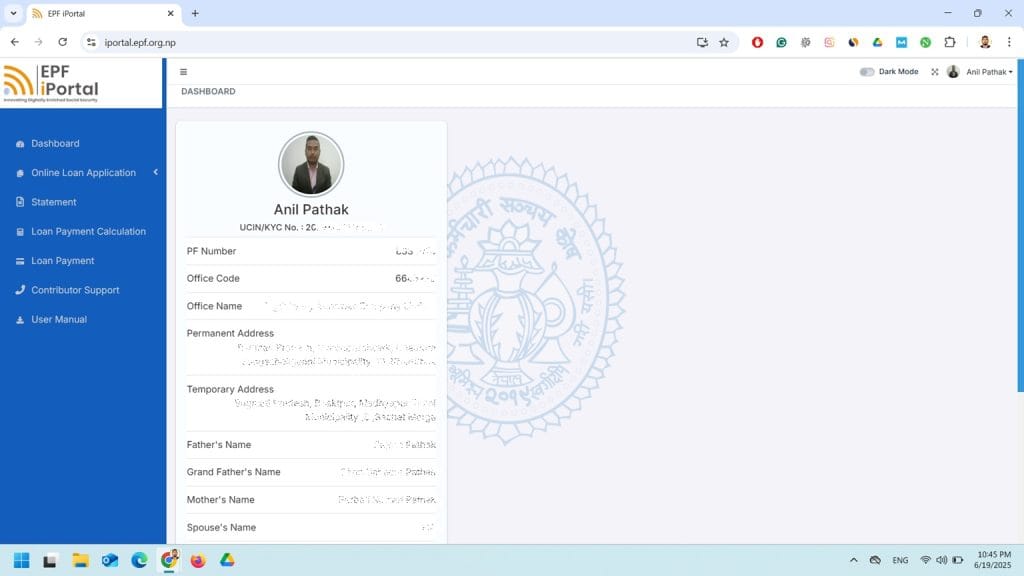
Now, you need to provide your user id, password and login.
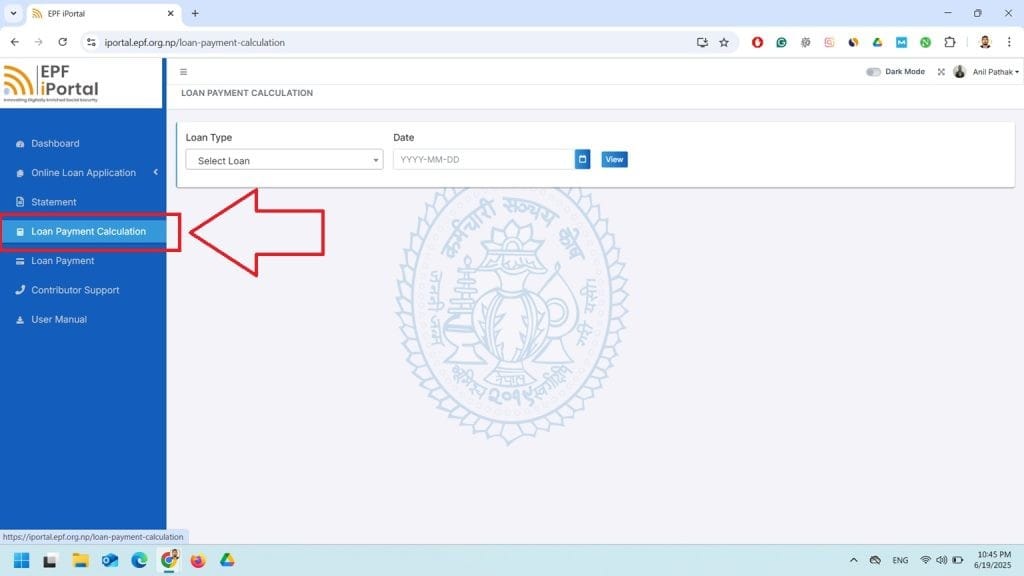
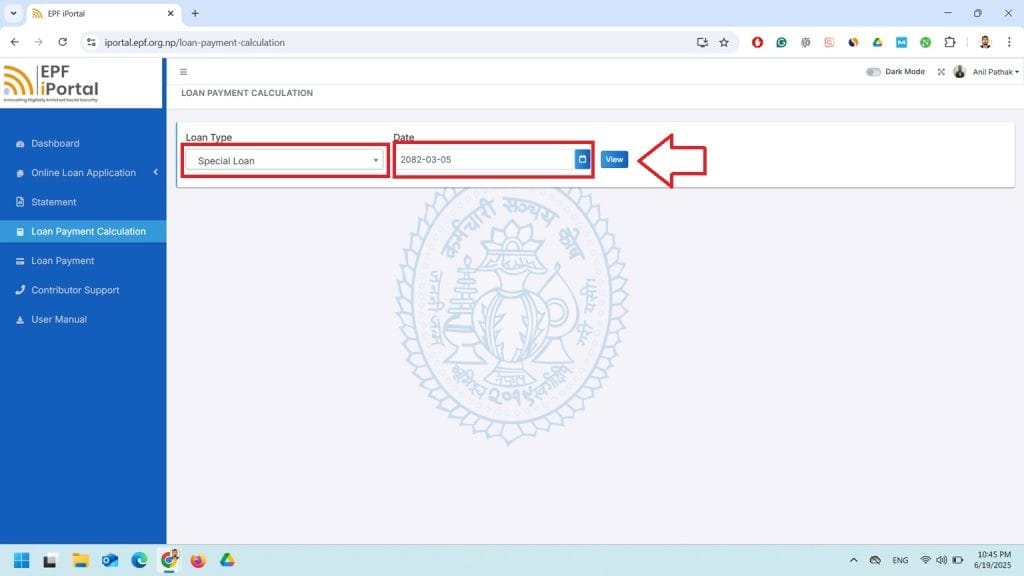
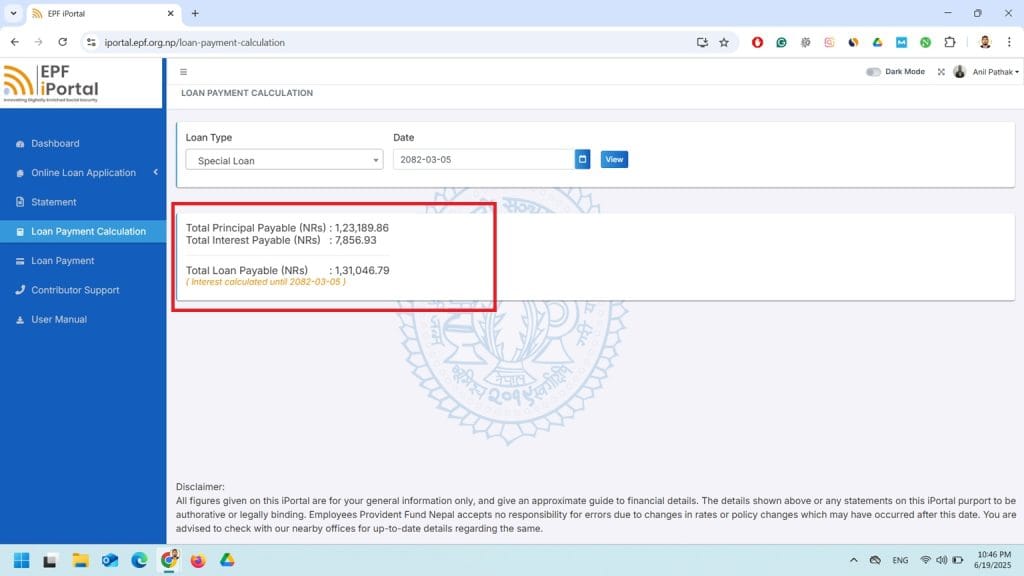
There is the option for Loan Payment Calculation in the left side after you login. You can choose the type of your loan and select the date to find out the actual amount you need to pay.
At the left sidebar, you can see the option Loan Payment. Click there.
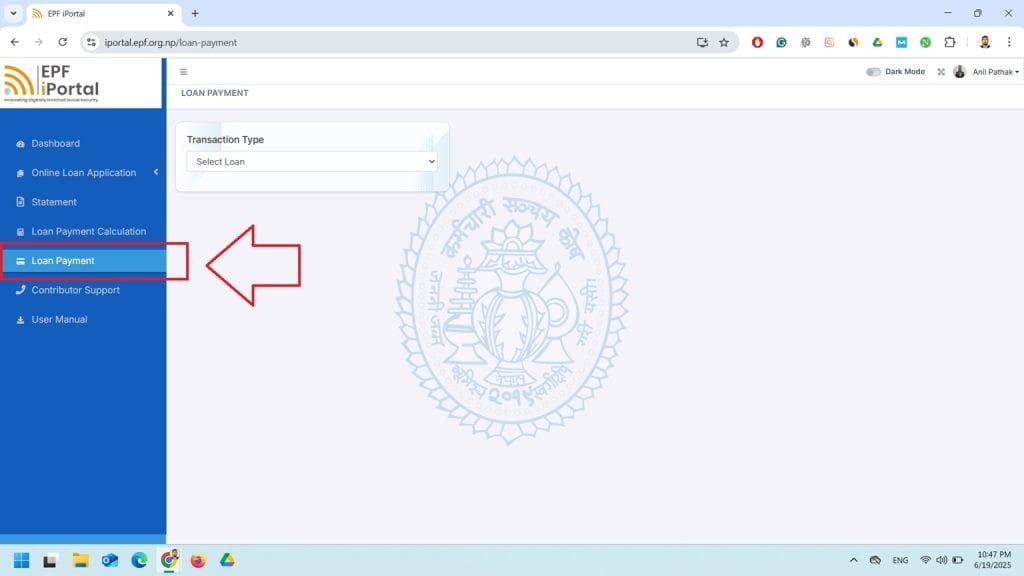
Now, you need to choose the type of loan you have taken. In my case, I am choosing Special Loan. They provide loan on Special Loan, House Loan, Education Loan, Easy Loan, House Maintenance Loan, Land Purchase Loan, etc.
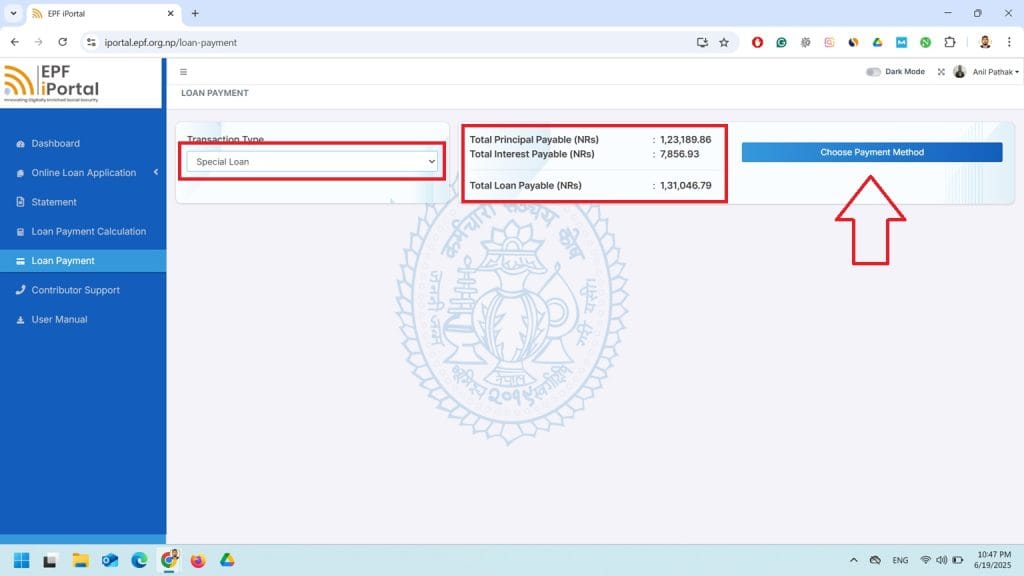
Now, this will show you the Principal Amount, Interest Amount and Total Loan Payable Amount.
Then, click on the option Choose Payment Method.
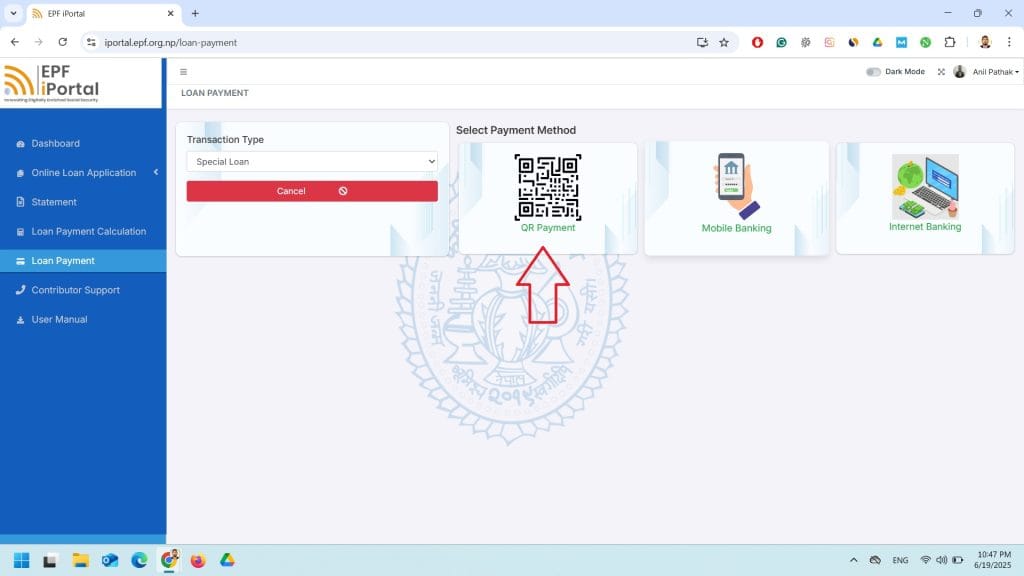
Now, you can see the option as QR Payment, Mobile Banking and Internet Banking. Here, QR payment is more convenient, quick and easy. So, I choose QR Payment.
Here, you can see the QR Providers. Here, I choose NepalPay.
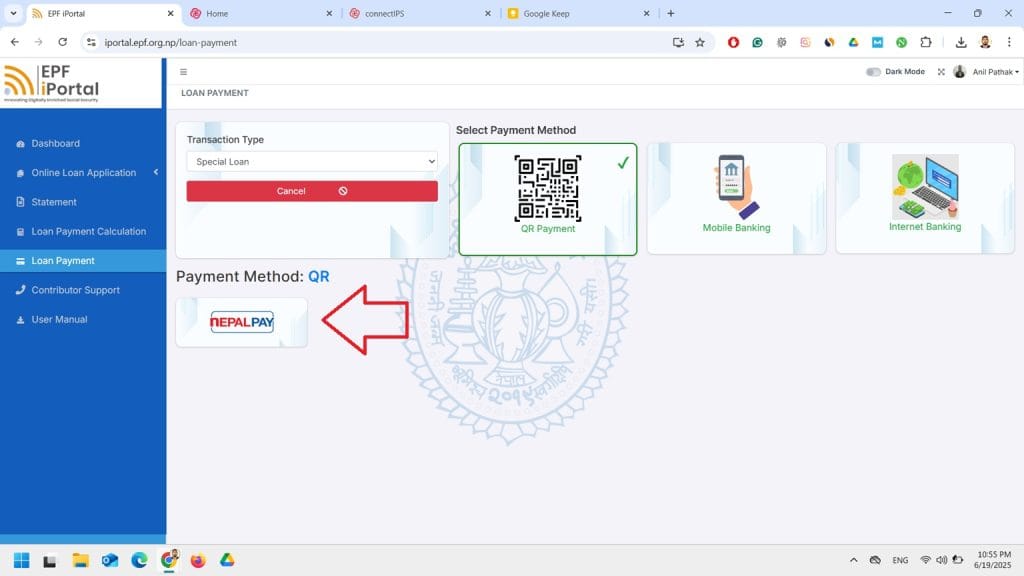
Now, this will again show the payment details. Here, it is again asked to enter the amount you want to pay. I entered the complete Loan Payment Amount and click on the Generate QR button.
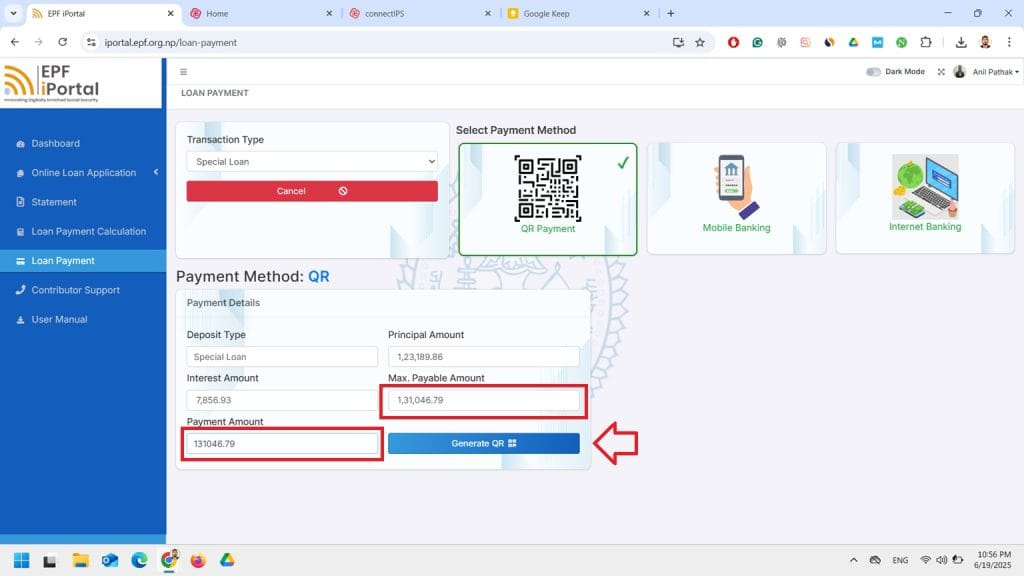
This will generate a QR and display it. Then, scan this QR with your mobile banking app and make payment.
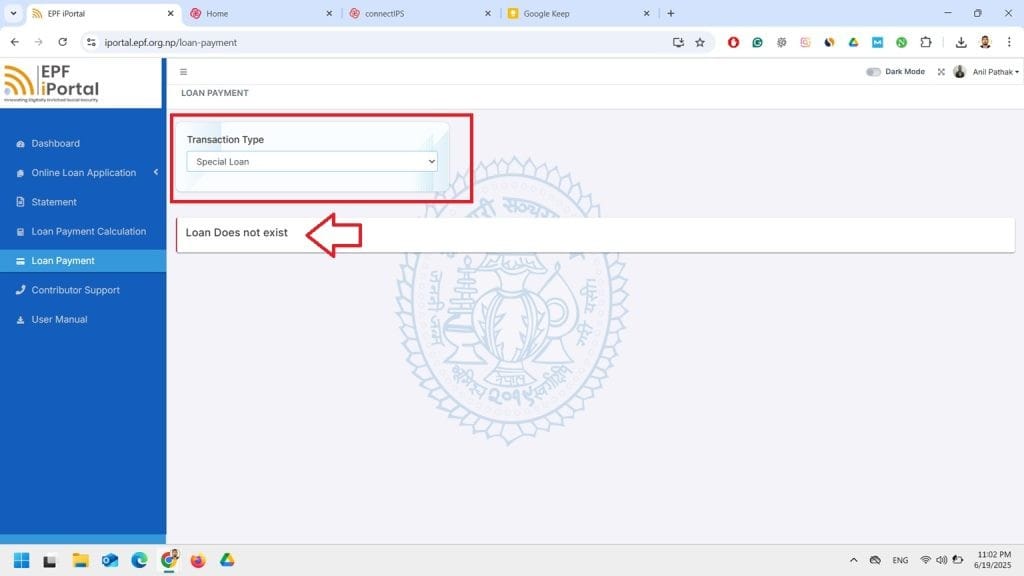
Now, again, you can visit the Loan Payment to check whether your loan is still showing or not. Oncepayment gets completed, it shows Loan Does Not Exist.
Option 2: Connect IPS
Login to your connect IPS dashboard. Click here to login.
Now, at the left sidebar, you can see the option as Government Of Nepal. Click there.
Then, You can find the option as Semi-Government( Sansthan). Click there and Choose EPF.
Now, here you should have details like Loan Type, UCIN Number, Contributor Name and Registered Mobile Number. Fill them all in the form.
Also, do not forget to choose your bank account linked to connect ips at the top.