
There are so many ways you can take a screenshot on windows. We need a screenshot in presentation, tutorials, assignments, reports, and much other academic use as well. In windows, there is a default application called snipping tool and believe me, this is the most useful tool to take a screenshot on windows.

You can easily find the snipping tool on the taskbar. The taskbar is the portion at the bottom of the window. The snipping tool has the icon of scissors.
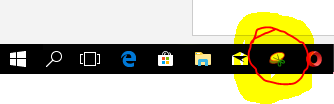
You need to follow the given steps below to take a screenshot on windows:
- Run the snipping tool from the taskbar.
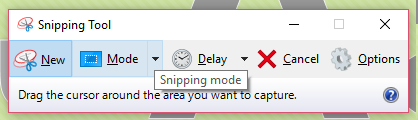

- There you get different modes to take a screenshot. You can choose the options like Freeform, rectangular form, etc. to take a screenshot.
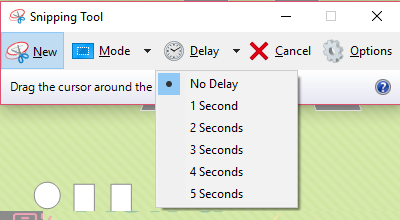
- Similarly, there is an option for the timer as well in the Delay option.
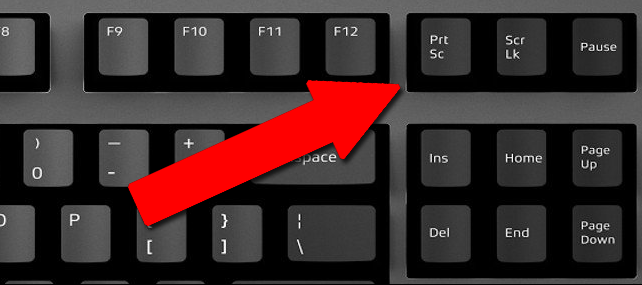
However, you can use the Print Screen key in your keyboard to take a screenshot on windows.
What tools and applications are you using to take a screenshot on windows? Comment below.
| Convert Nepali Date into English | Age Calculator Nepali |
| Convert Unicode to Preeti | Preeti To Unicode Converter |
| Fixed Deposit Calculator | EMI Calculator |