
Nagarik Lagani Kosh has announced to update kyc online. Here is the quick guide on how you can easily update CIT KYC form online.
Nagarik Lagani Kosh Kyc Form Online Apply
To update your kyc online, you need to be registered to the Eservice of CIT. You can register from here.
Once, you get your username and password, you can follow the steps mentioned below for Nagarik Lagani Kosh Kyc Form Online Apply Download.
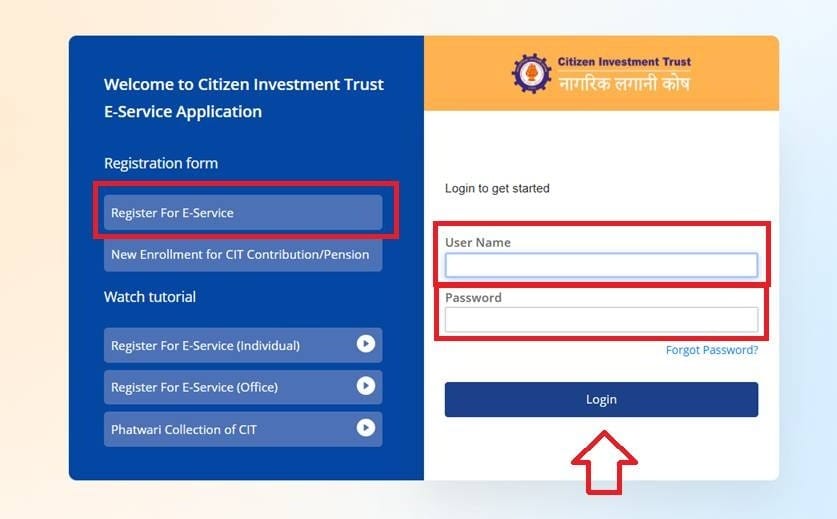
Step 1: Login to the E-Service using your username and password.
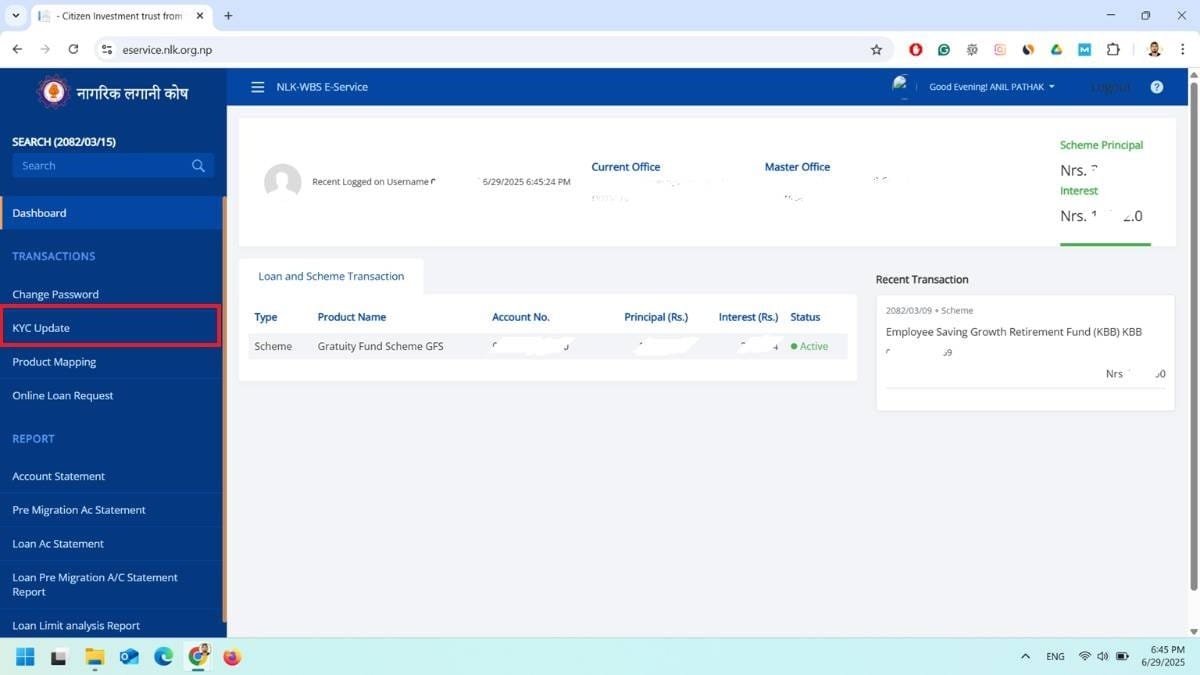
Step 2: Now, at your dashboard, you can see the KYC Update option in the left side bar. Click there.
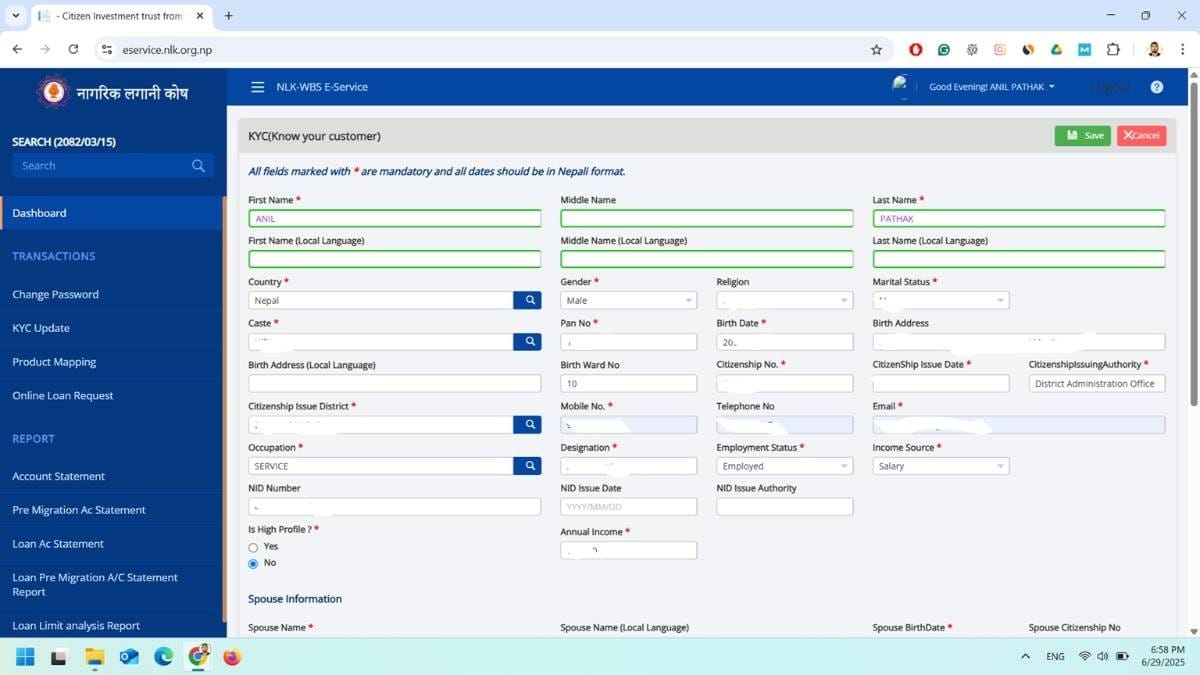
Step 3: A form opens where you need to fill up your details.
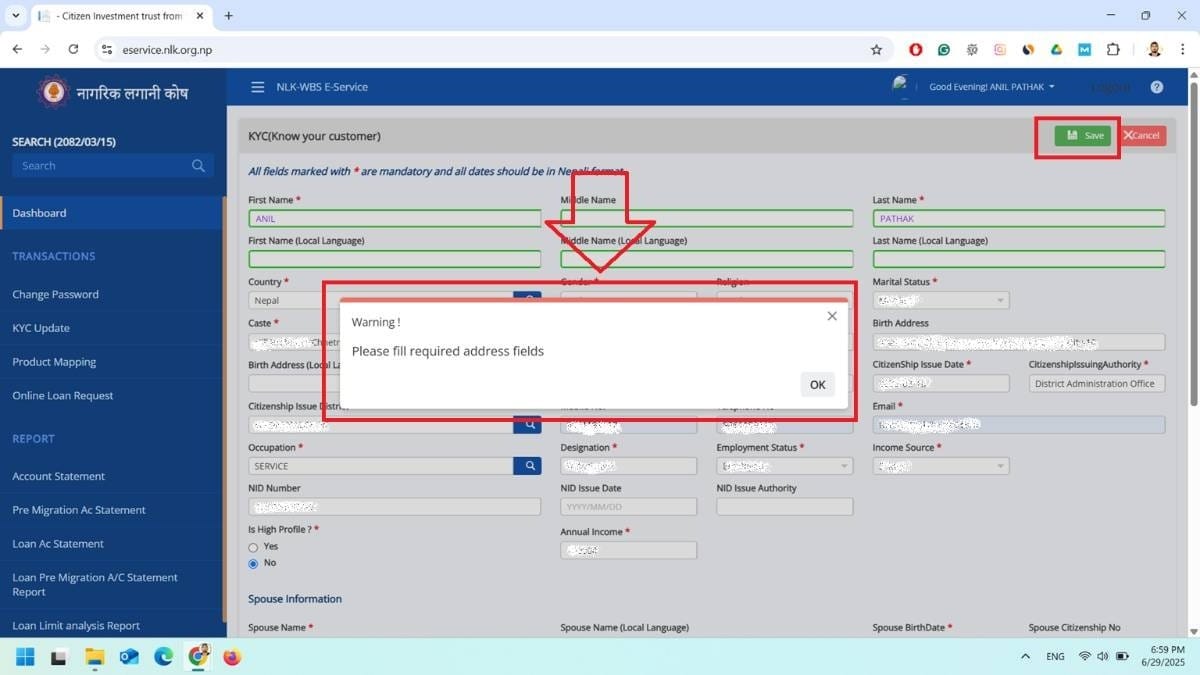
You can not skip the options. You must provide the information in mandatory (*) information. You can not save the kyc unless information is provided.

Step 4: Add your family details. It is compulsory. You must add the information of your Grand Father, Grand Mother, Father and Mother. Also, you must declare the LIVE or DEATH option as well. By default, it is checked as IS LIVE.
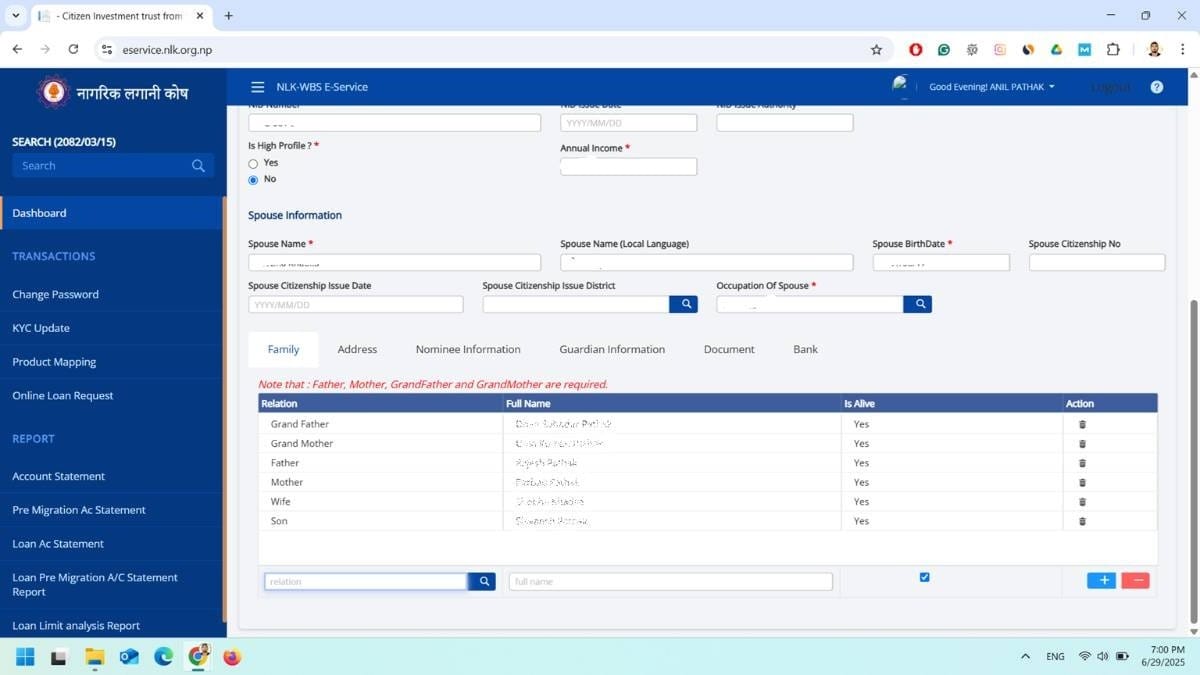
Once, you added your family details, you can see the list of family members.
Step 5: Now, you have other options as Address, Nominee and other information as well in multiple tab. So, provide the information.

Step 6: If you do not have nominee, you can go forward without adding this. Now, You need to Upload your scanned citizenship or National ID Card. Also, provide your bank account details and click on Save.
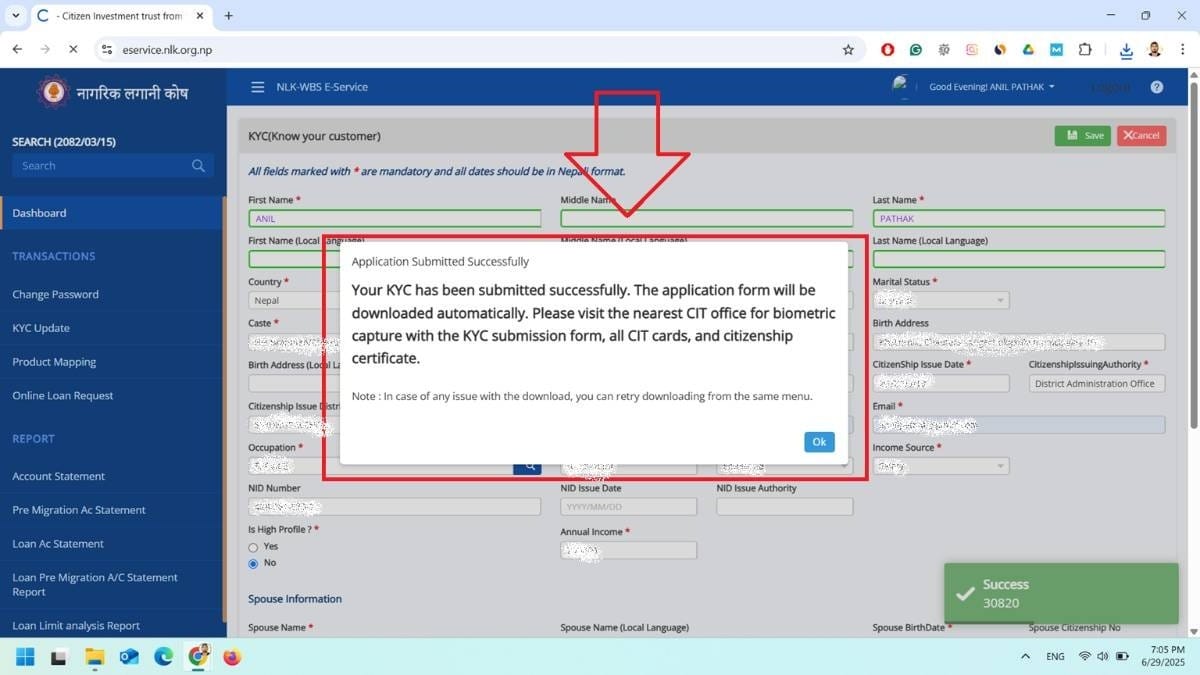
Step 7: Your information is submitted successfully. Also, the application form will be downloaded automatically.
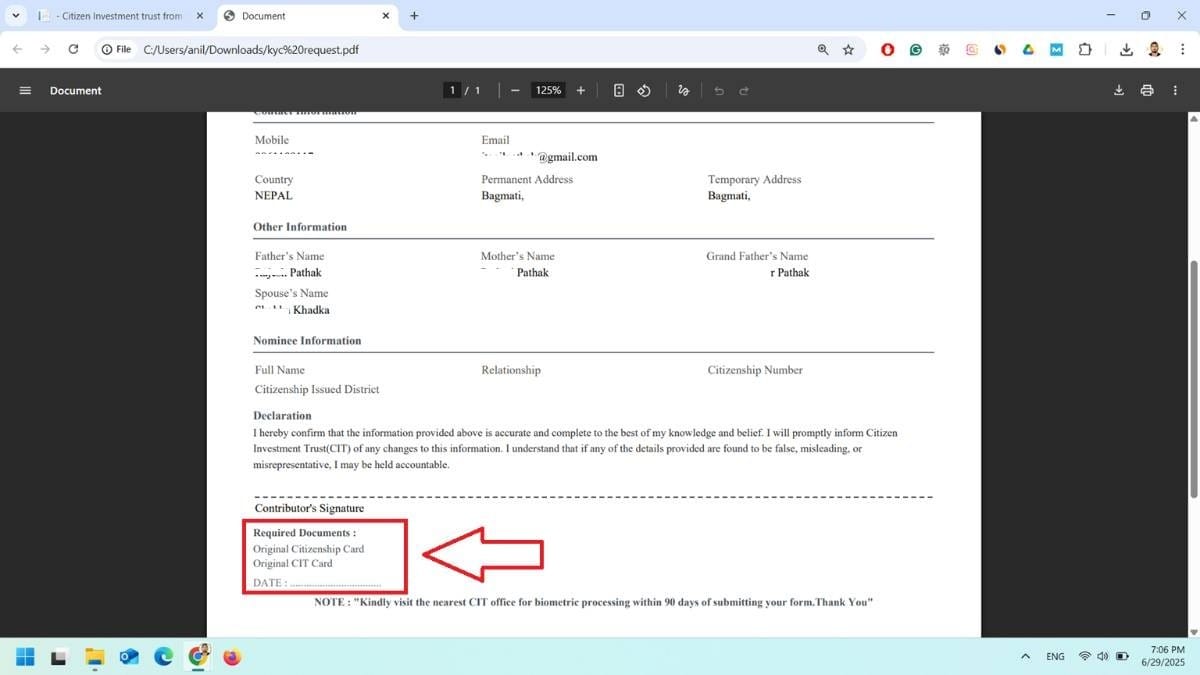
Now, you must visit the nearest CIT office for Biometric with the Downloaded Application form. Also, you should bring original CIT Card and Citizenship at the time of office visit.
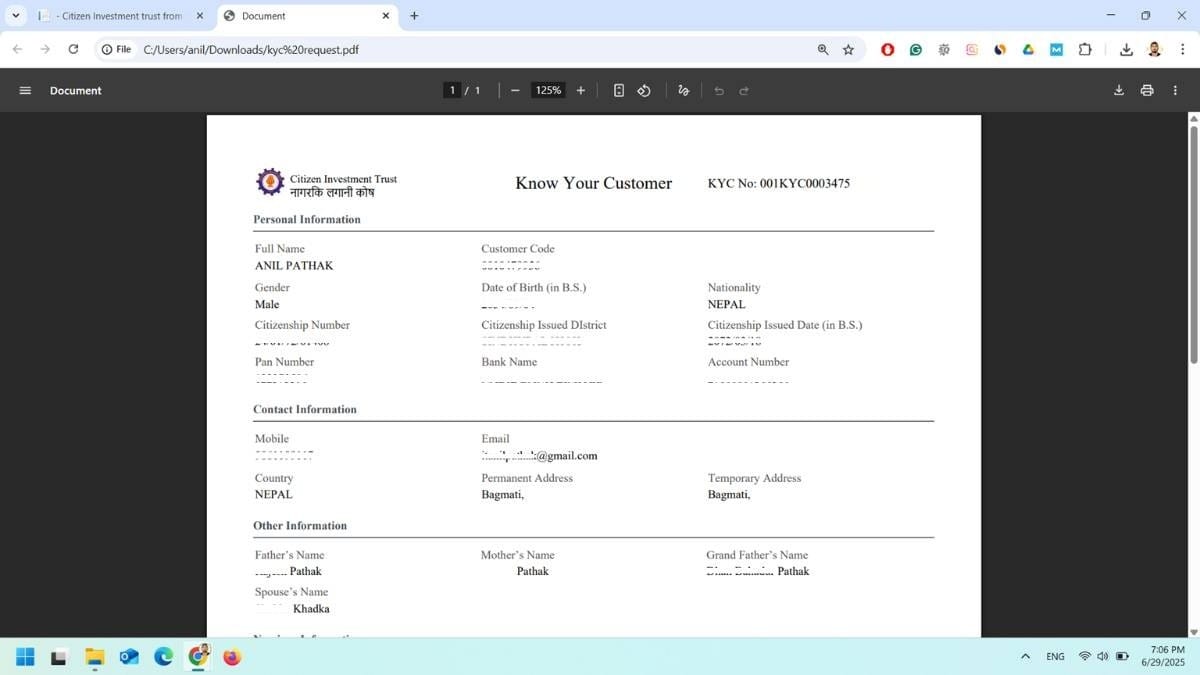
Step 8: If your application is not downloaded or you missed something on your kyc, you can download it or Request New KYC as well from the KYC Update option in your dashboard. You can see this option if your application form is submitted successfully.

What are the required documents for Nagaraik Lagani Kosh KYC Update?
You need to submit the Online Submitted KYC Application form with Original Citizenship and CIT Card for KYC Verification and Biometric
Where can I Update the Nagarik Lagani Kosh KYC?
You can update your Nagarik Lagani Kosh KYC from Eservice.
| Convert Nepali Date into English | Age Calculator Nepali |
| Convert Unicode to Preeti | Preeti To Unicode Converter |
| Fixed Deposit Calculator | EMI Calculator |