
Prepare Your National ID Verification
Rastriya Parichaya Patra has been compulsory in opening bank account, KYC update, Buy Sell Shares, and in multiple areas. The good thing is that you can download your national identity card from the official government portal. Here, is a guide regarding how you can easily download your rastriya parichaya patra.
Rastriya Parichaya Patra Download
Before Starting Download, you need to have the following details:
- Full Name in Nepali or English
- Date Of Birth
- Citizenship issue date
Step by Step Guide to Download Rastriya Parichaya Patra
Step 1: Visit the eNID Portal.
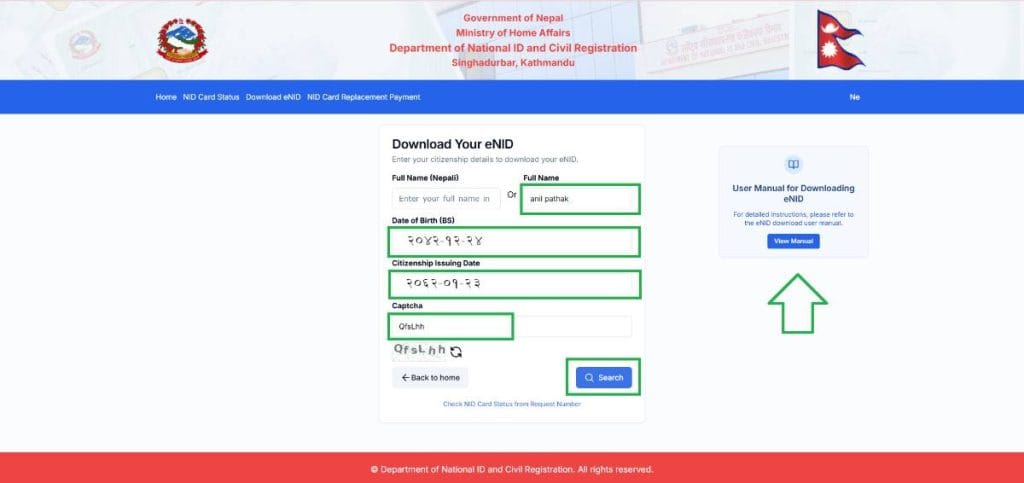
Step 2: Fill the details of Name, Date Of Birth, Citizenship Issue Date and Solve Captcha. Then click on Search.
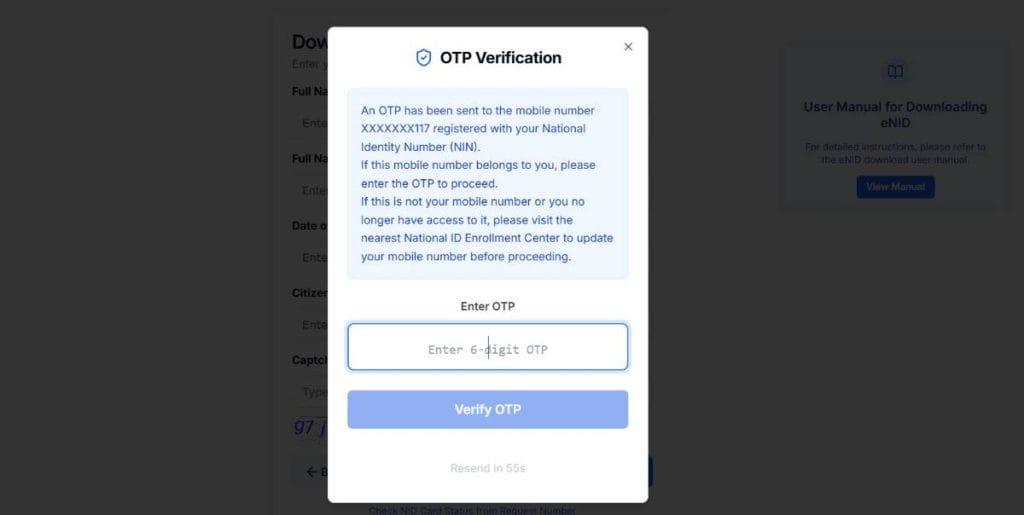
Step 3: Now, you get the OTP Code in your registered Mobile Number during National ID Registration. Now, verify the OTP. If you did not receive your OTP, you can resend the OTP. Wait to receive the 6 digit otp code.
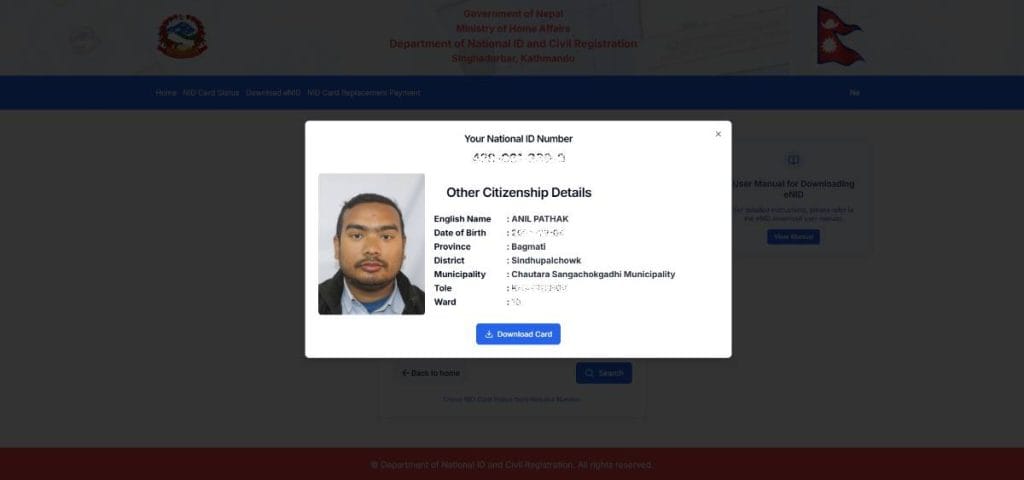
Step 4: Now, you can see your National ID. Click on Download Button.
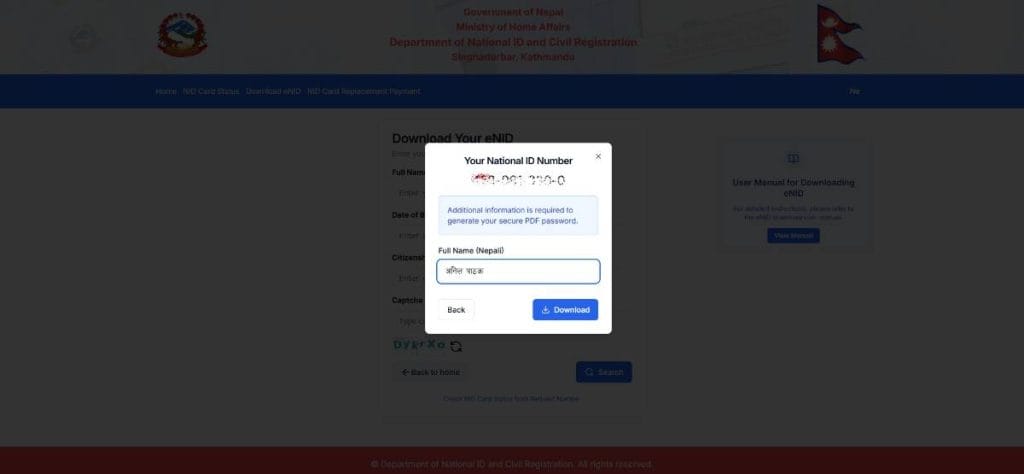
Step 5: Now, You can see the NID. Verify it and type your full name. And click on DOWNLOAD.
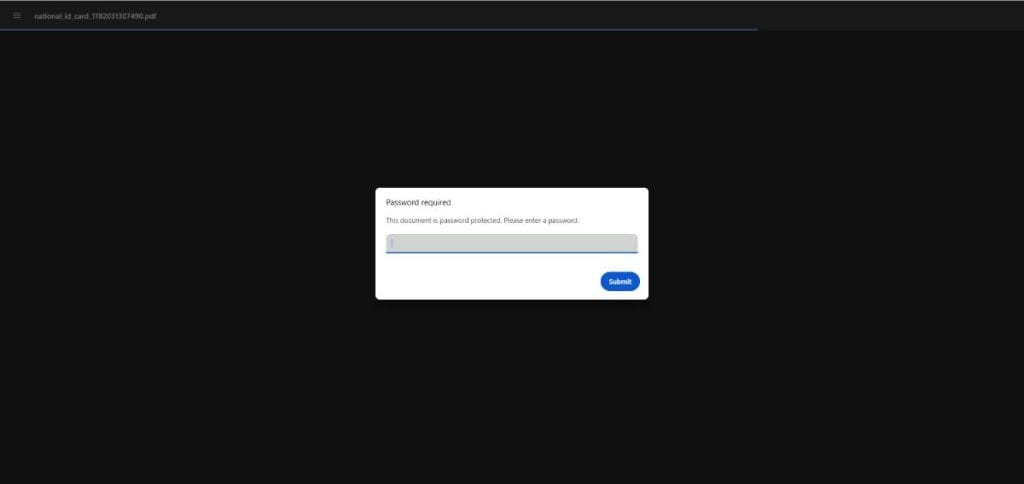
Step 6: You Rastriya Parichayapatra PDF is downloaded. But, you can not open it. It has a password.
For Example:
My name is ANILPATHAK with Date of Birth is 2050-01-01
Then the pasword is ANIL2050.
The password is set by the system with your FIRST 4 LETTERS of your name in CAPITAL and YEAR of Your Date of Birth.
Another Example:
If My name is RAM CHANDRA NEPALI and Date of Birth is 2050-12-30
The, the password is RAMC2050.
Step 7: Your National Identity Card is here. You can save it as PNG or print it for further Works.
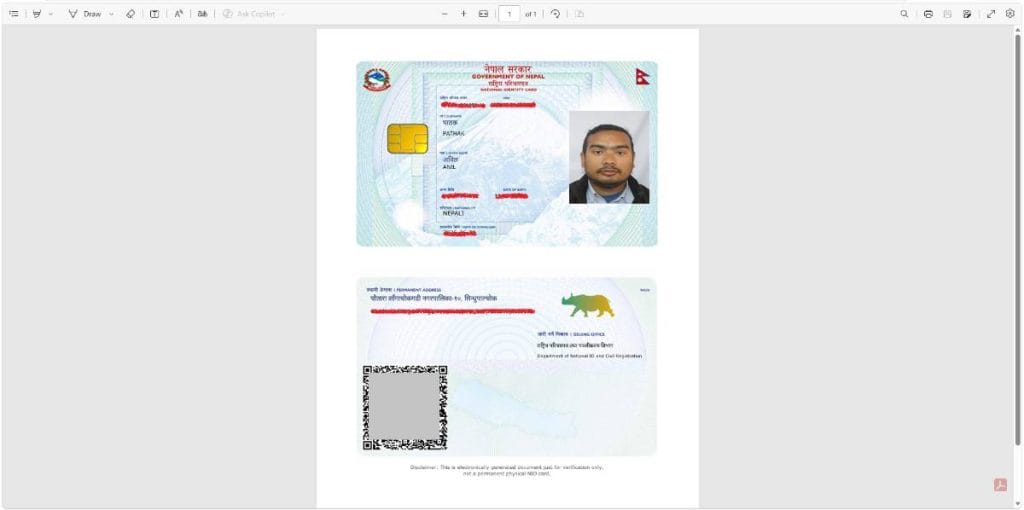
You can read the complete manual if you got any confusion or error while donwload the rastriya parichaya patra.
| Convert Nepali Date into English | Age Calculator Nepali |
| Convert Unicode to Preeti | Preeti To Unicode Converter |
| Fixed Deposit Calculator | EMI Calculator |
How to download a national ID card in Nepal?
The national ID Card is easily available to download from the official government e-NID portal. Go to the link and fill up the details like Full Name, Citizenship Issue Date, Date of Birth. Now solve the captcha and proceed to download.